Canine Forelimb Bones Update: Individual Bones and Landmarks
Today brings an update to our canine forelimb bones content, with two improvements and a bug fix. 🦴
Select the individual bones
Previously we only had the landmarks of the bones, and you couldn't select the bones themselves. We've added a new scene where you can do exactly that. It's especially useful for areas like the carpal joint, which has lots of small bones.
Landmarks that highlight a whole region
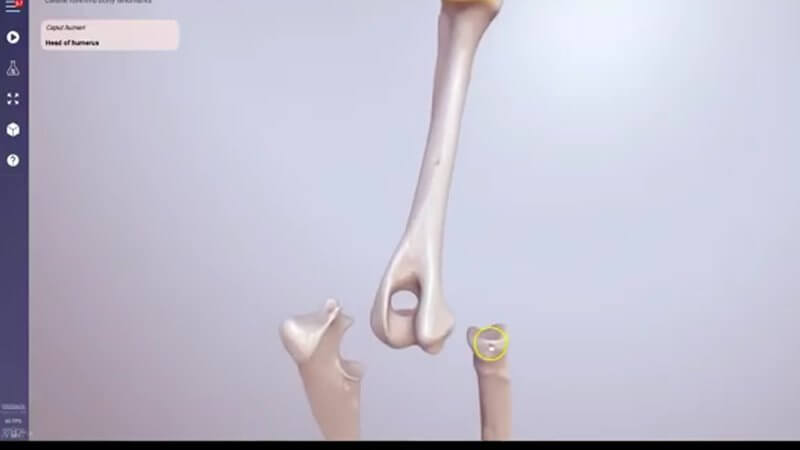
Our landmarks used to be marked with small buttons. Now the entire anatomical region highlights when you select it, which gives you a much better sense of its extent. Some areas are hidden under other anatomy, so press the space bar or click the play button to split the bones apart and see surfaces that would otherwise be covered.
Autofocus for a long limb
The forelimb is quite long, which can make it fiddly to orbit around. Turn on the autofocus button and whatever you click becomes the focus of the camera. In the video we focus on the head of the humerus, then on an articular fovea, and move around really nicely without losing our position.
MCQ bug fixed
We also fixed a bug in the MCQ testing mode: sometimes the object we were asking you to name wasn't highlighted. That's sorted now, so you can use the MCQs without that problem.
Explore more
FREE for veterinary students, interns, residents & academics at vin.com. Also available by subscription at ivalalearn.com
Want to understand more about the options for accessing the content? Our company FAQs have the answers here pricing, account access and billing.