A Clearer Highlight in 3D: Outline and X-ray Effect
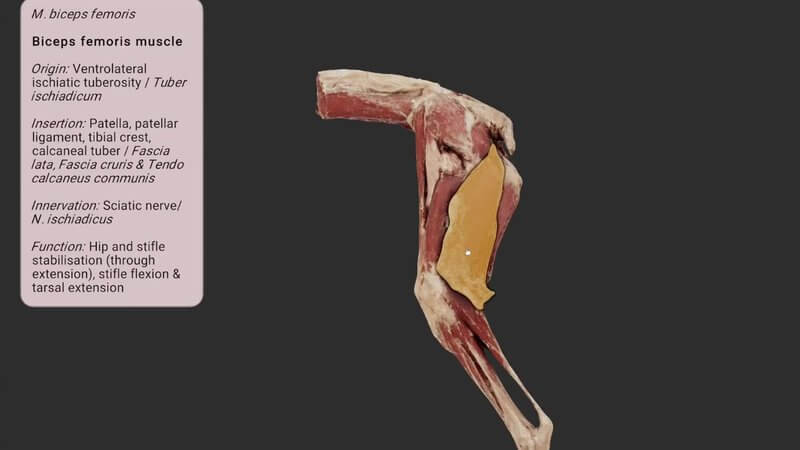
You're no doubt familiar with the orange highlight that shows when you select anatomy in our 3D viewer. A common bit of feedback was that the highlighted anatomy was sometimes tricky to see, and we've struggled to find a single colour that works well in every scene. So we've improved it. ✨
A black outline that pops
As well as the highlight colour, your selection now gets a black outline. It just makes it that bit easier to see which anatomy you've selected, as in the video with the biceps femoris of the canine hindlimb.
The X-ray effect
The outline is also visible from whichever angle you view the selection, even when other anatomy is in front of it. We've dubbed it the X-ray effect. It helps you keep track of where you are and what's selected, and we think it'll really help in certain scenes, for example when following the course of a nerve.
Easy to switch off
If you don't like it for whatever reason, simply toggle the X-ray outline off. It's now live in all of our 3D content, including on vin.com, and as always, feedback is encouraged!
Explore more
FREE for veterinary students, interns, residents & academics at vin.com. Also available by subscription at ivalalearn.com
Want to understand more about the options for accessing the content? Our company FAQs have the answers here pricing, account access and billing.