3D Interface Scaling: Looks Great on Any Screen
Until now, our 3D interface was always the same size, whatever screen you were on. On small screens it took up too much space, and on big screens you didn't get any more room for the anatomy. 🐁🗼 So we've done two things.
Dynamic scaling
First, the interface now scales automatically to your screen. Whether you're on a small laptop or an ultrawide monitor, it should look great.
Set your own scale
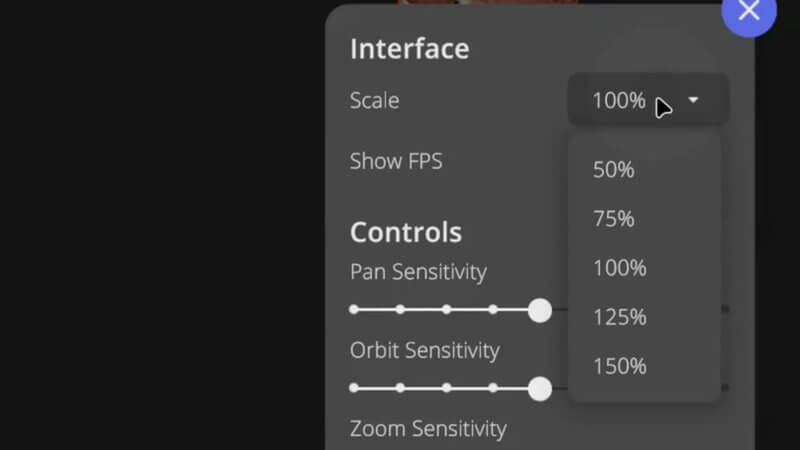
Second, you can now set a custom scale in the Interface settings, from 50% up to 150%. Make it larger if you like bigger text and want to keep those eyes nice and comfy 👁️, or smaller if you're on a low resolution screen and the interface is getting in the way. In the same menu you'll also find the pan, orbit and zoom sensitivity sliders. Fingers crossed it makes for a much more comfortable viewing experience.
Explore more
FREE for veterinary students, interns, residents & academics at vin.com. Also available by subscription at ivalalearn.com
Want to understand more about the options for accessing the content? Our company FAQs have the answers here pricing, account access and billing.