Live Labelling: Labels That Update as You Slice the Heart
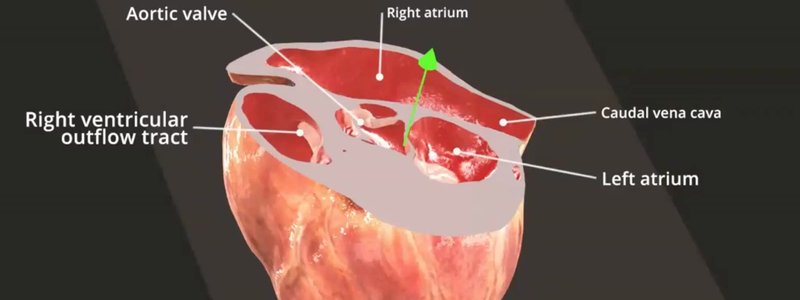
Our new live labelling system names anatomical structures on the fly as you slice through the heart, in real time.

Ivalalearn
Proud to be part of the Veterinary Information Network family

These posts explain the study tools we have built into IVALA Learn. You will find guides to flashcards, including starring cards to review later and building your own decks, as well as anatomy MCQs, Test Yourself mode and live labelling in the 3D viewer. We also cover practical viewer tips, such as standard anatomical views, highlighting, autofocus, isolate, and how the interface behaves on different screens and with a keyboard or touchpad. New clinical decks, including ophthalmology, neurology cases and red blood cell pathology, are listed here as we add them. The posts are written to help you revise more efficiently, whether you are a student or in practice.
Our new live labelling system names anatomical structures on the fly as you slice through the heart, in real time.
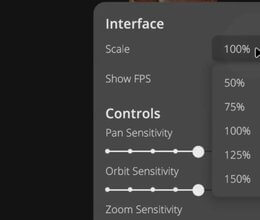
The 3D interface now scales automatically to your screen size, and you can set your own scale from 50 to 150 percent.
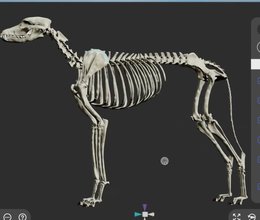
Our new positioning gizmo snaps to standard anatomical views in one click, switches to an orthographic camera, and now labels the view you're on.
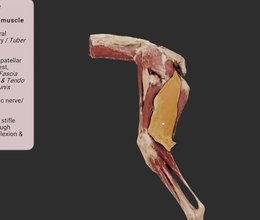
Selected anatomy now has a black outline as well as the orange highlight, and the outline stays visible from any angle with our X-ray effect.
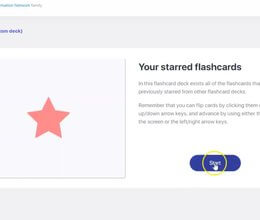
Some concepts just won't stick. Now you can star flashcards to review them at the end of a deck, or anytime in your own Starred Flashcards deck.
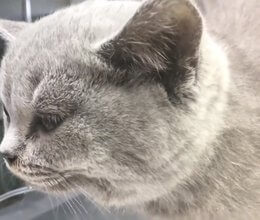
Is your patient seizuring, collapsing (or just a bit cuckoo)? Our seizure disorders deck uses real case videos to help you tell the difference.
Ivalalearn
Proud to be part of the Veterinary Information Network family
OUR MISSION:
To shape more confident students and clinicians by creating intuitive, engaging, interactive learning content.
OUR MISSION:
To shape more confident students and clinicians by creating intuitive, engaging, interactive learning content.
Ivala is proud to be a wholly owned subsidiary of the Veterinary Information Network (VIN)
IVALA ® All rights reserved.